
You want to warn people about a rough experience, or praise a place without turning it into a public identity moment. Totally fair. Then you hit Google Reviews and realize it is not built for anonymity in the way people mean it. You can control some of what shows up, but you cannot post a review with a blank name, a hidden profile, and zero trace back to a Google account.
I have mixed feelings about that. On one hand, reviews carry more weight when they come from accountable profiles. On the other hand, there are real reasons you might want privacy, like avoiding awkward conversations with a local provider or worrying about retaliation in a small town. So let’s talk about what Google allows, what businesses can see, and what you can do if you still want to share your experience without putting your life on display.
Can you leave an anonymous review on Google
No, you cannot leave a fully anonymous Google review. Google requires a Google account to post, and your review publishes under the name and profile photo tied to that account. You can reduce how identifiable you look by changing your Google profile name and photo, but you still are not “anonymous” in the strict sense.
If you are searching “can you leave an anonymous review on google,” you are probably hoping for a toggle that says “hide my name.” Google does not offer that. The closest option is controlling what your public Google profile shows, then posting from that profile. That can protect your privacy from casual readers, but it does not create a true anonymous review channel.
There is another layer that people miss. Even if the public only sees a display name, Google still has your account behind the scenes. A business cannot pull your email from your review, but Google can connect your review to your account because that is how the platform works.
What information shows up when you post a Google review
When you leave a review, Google shows the public the following items tied to your Google profile. This is what the business owner and everyone else can see on the listing.
Visible on your review | Where it comes from | What you can control |
|---|---|---|
Your display name | Your Google account profile | You can change your profile name |
Your profile photo (if set) | Your Google account profile | You can change or remove it |
Your star rating and review text | Your review submission | You can edit or delete later |
Photos you upload with the review | Your upload | You can choose not to upload photos |
Your public contributor profile link | Google Maps profile | You can limit what appears on your profile |
Here is the part that surprises people. If someone clicks your name, they might see your past reviews, photos, and sometimes location-related activity, depending on how your profile settings look. If you want privacy, the review text is not the only thing to think about. Your profile is part of the package.
What businesses can see about you as a reviewer
A business owner can see what the public sees on the review itself. They can also see the review inside their Google Business Profile dashboard, but that view does not magically reveal your email address or phone number. They do not get your private account details from a review.
Still, I would not treat this like a witness protection program. If you include identifying details in your review, the business can connect the dots. If you write “I was the person with the red truck who came in after my dentist appointment,” you just signed your name without signing your name. If you upload a photo that includes your face, your car plate, or your receipt, you did the same thing.
There is a second angle. Some businesses respond to reviews publicly. If you are posting because you want to avoid a confrontation, understand that your review can trigger a public reply. It might be polite. It might be defensive. It might feel personal even when it is not.
How to leave an anonymous Google review using safer profile choices
If your goal is to post without sharing your real name, you can take steps that reduce exposure. This is what most people mean when they ask “how to leave an anonymous google review.” It is more like “how to leave a less identifiable review.” That is a mouthful, but it is the honest version.
Adjust your Google profile name and photo before you post
Your review displays your Google profile name. If your profile shows your full legal name, that is what the business will see. You can change your profile name to something less identifying. Keep it normal. If you go too weird, people assume the review is fake, and your message loses power.
Your photo matters too. If your profile photo is your face, you are handing out a free ID badge. You can remove the photo or swap it for a non-identifying image. I know this feels dramatic, but if anonymity is the point, your photo is the first leak.
Limit what your public contributor profile reveals
Click your own Google profile from Maps and look at what a stranger sees. If your review history includes a pattern that points straight to your neighborhood, workplace, or routines, decide whether you are comfortable with that. You might want to delete older reviews, remove photos, or stop posting location-specific images.
This is where people get tripped up. They focus on one review, but their existing trail is what makes them identifiable. A single review might look anonymous. Ten reviews about places near your home do not.
Write the review like you want privacy
If you want privacy, you need to write like it. Avoid names of staff members unless it is necessary. Avoid appointment times, order numbers, or details that only one customer would know. Talk about what happened in a way that stays useful to readers without turning into a diary entry that points back to you.
Try this framing. Describe the category of issue, the impact, and what you wish the business had done. Keep it grounded. You can still be blunt. You just do not need to include breadcrumbs.
Privacy risks people forget when posting Google reviews
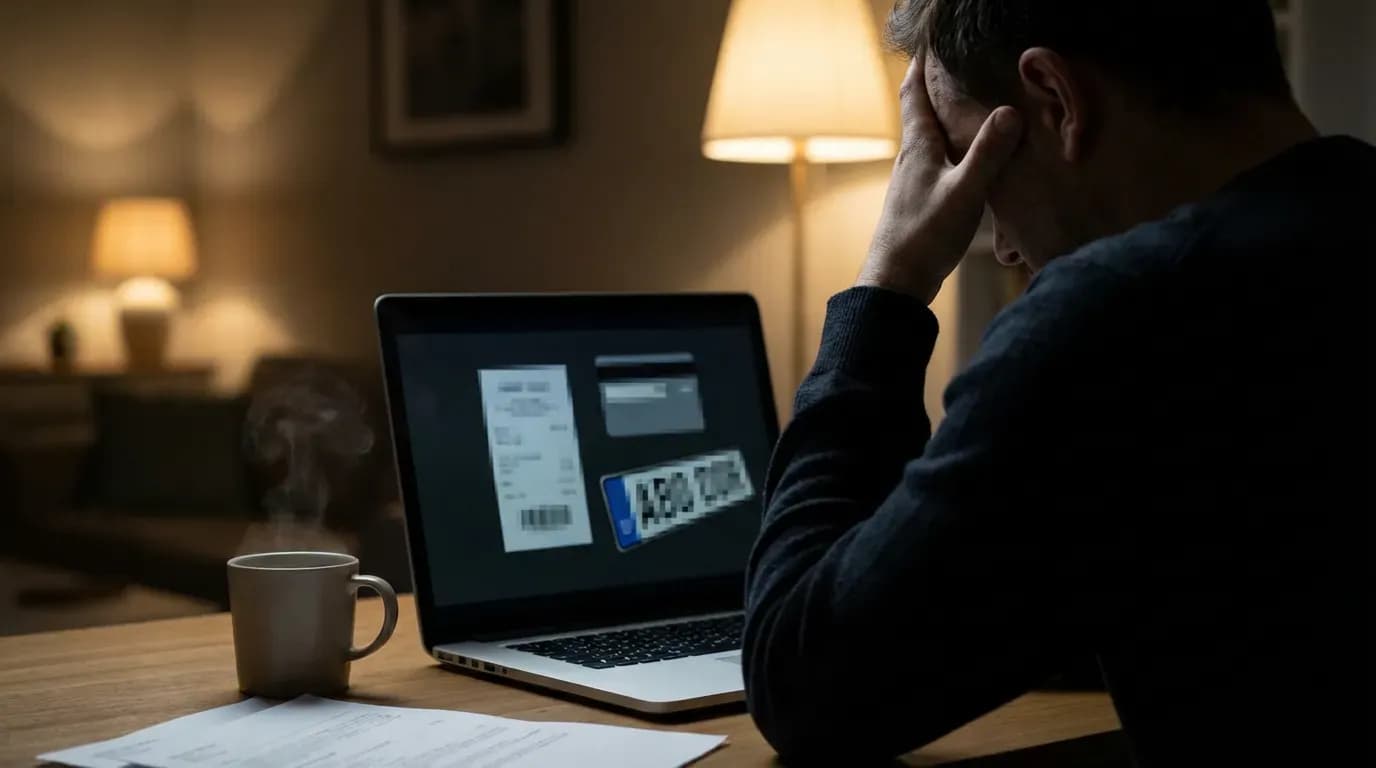
Most privacy problems do not come from Google “leaking” your data. They come from you sharing it without noticing. I do not say that to blame you. It is easy to miss when you are annoyed or when you are trying to be helpful.
Photos can expose more than you think
A photo from inside a clinic might show your name on a sign-in sheet in the background. A photo of a product might show your shipping label. A photo of a meal might show your reflection in a window. You can crop, but cropping does not fix everything. If privacy matters, skip photos.
Your writing style can identify you
This sounds paranoid until you see it happen. If you have a public presence elsewhere, your phrasing can be a fingerprint. Local groups sometimes connect reviews to social posts because the voice matches. If you want distance, keep your review short and plain.
Small communities make anonymity harder
If you are reviewing a niche service provider in a small town, the business might guess who you are based on the details of the complaint. Even a vague review can narrow it down when there were only a few clients that week. This is one of those situations where I genuinely do not know how to feel about online reviews. Transparency helps consumers. It can also put people in awkward positions.
What to do if you need to share feedback but want privacy
If you feel unsafe, or you worry about retaliation, you have options that do not involve a public Google review under your profile name. None are perfect, but they can get your point across without turning you into a target.
Send private feedback to the business first
Sometimes you want a fix, not a fight. If you contact the business directly, you can describe the issue and request a resolution. That keeps the conversation private. It also gives the business a chance to respond before you go public.
This is where reputation tools can help on the business side. Platforms like RatingFlow route private feedback to the business while encouraging satisfied customers to post public reviews. If you are a business owner reading this, look at how a review funnel works so you can catch problems earlier. The walkthrough on how RatingFlow works for review collection lays out the flow in plain terms.
Use a Google profile that does not expose your identity
This is a touchy area. You should follow Google’s policies and avoid impersonation. Still, you can keep your real name off your public profile by using a non-identifying display name and no face photo. That is not the same as a fake review. It is a privacy choice.
If you do this, keep your review honest and specific about the experience. Do not post hearsay. Do not post for friends. Do not turn it into a campaign. People can smell that, and it hurts the credibility of real reviewers.
Choose a different channel when the stakes are high
If the issue involves harassment, discrimination, or safety, a public review might not be the right tool. In those cases, you might need formal complaint routes or legal help. A one-star review can warn others, but it does not protect you, and it does not force accountability.
How businesses should respond to anonymous sounding reviews
From the business side, “anonymous” usually means “a profile name you do not recognize.” That can be a real customer who wants privacy. It can also be a competitor or someone with an unrelated grudge. You cannot know from the name alone, and that uncertainty makes owners spiral.
If you run a local business, I think the healthiest move is to respond to the content, not the identity. Ask for a way to make it right. Keep it calm. Avoid outing details that could identify the customer. I have seen owners reply with specifics like dates, services, and staff names. That might feel like “setting the record straight,” but it can look like you are doxxing a customer.
If you want a system that reduces the chances of public blowups, you can filter feedback before it hits Google. That is the core idea behind RatingFlow. Customers who have a rough experience can share it privately, and you can fix it before it becomes a public thread. If you want to see what that looks like in practice, the page on RatingFlow review management features shows how the feedback routing works.
Can you edit or delete a Google review if you change your mind
Yes, you can edit or delete your Google review after posting. If you posted under a profile name you no longer want tied to the review, you have two choices. You can edit your profile name, which changes how your name appears across your reviews. Or you can delete the review entirely.
Deleting is blunt, but it is clean. Editing can work if you want to keep the warning or praise public while changing your display identity. If you need step-by-step guidance, RatingFlow has a clear walkthrough on how to delete or remove a Google review. It covers both reviewer actions and what businesses can and cannot do.
How to write a review that protects you and still helps others

A private-sounding review that says nothing useful does not help people. A detailed review that names every staff member and timestamp can put you at risk. You want the middle lane. Useful. Firm. Non-identifying.
Use a simple structure
Start with what you bought or what service you received, described in broad terms. Explain what went wrong and how it affected you. End with what a future customer should know, like “confirm pricing in writing” or “ask about timelines before paying a deposit.” This keeps the review practical instead of personal.
Avoid details that function like a receipt
Skip order numbers, appointment times, and staff schedules. Skip the “I was the person who…” setup. If the business tries to identify you anyway, do not answer publicly. You do not owe anyone your identity in a comment thread.
Do not threaten or bargain in public
When people feel wronged, they sometimes write “refund me or I will update this to one star.” That makes your review look like a hostage note. If you want a refund, ask privately. If you want to warn others, warn them. Mixing the two weakens your position.
FAQ about anonymous Google reviews
Can I post a Google review without a Gmail address
You need a Google account to post a review. That account can be tied to Gmail, but the key requirement is the Google account login. Your email address does not show publicly on the review.
Can a business find out who I am from my review
The business does not get your private account details from Google Reviews. Still, the business might identify you if your review includes unique details, photos, or a situation that only one customer experienced.
Can I leave a Google review with a nickname
Yes, you can change your Google profile name to a nickname or a less identifying name. That name shows on your review. Keep it believable so your review does not read like spam.
Is it safer to leave no text and only a star rating
A star-only rating reveals less about you, but it can frustrate readers and businesses because it gives no context. If privacy is your priority, write a short review that avoids identifying details instead of posting a silent rating.
Where I land on anonymous Google reviews
I wish Google gave people a clearer privacy mode, something that hides your public profile while still proving to Google that you are a real account. That would reduce fear and still protect the platform from spam. Google has not done that, and I doubt it will soon, because the system leans on identity cues to build trust.
So your practical choice is this. If you want to post, treat your Google profile like part of the review. Clean it up, remove identifying photos, and write in a way that protects you. If the situation feels risky, skip the public review and use private channels instead. Your safety matters more than a star rating.
If you are a business owner, focus on making it easy for happy customers to speak up while giving unhappy customers a private outlet. That is how you protect your brand without trying to “hunt down” reviewers. If you want to see how businesses build that kind of flow, start at RatingFlow and look at the funnel setup.