
If you have ever tried to track down a review you posted on Google, you already know the experience can feel weirdly harder than it should be. You know you wrote it. You know Google has it somewhere. Yet when you want to pull up your full history, edit a star rating, or delete a comment that no longer fits, the path is not always obvious.
This guide walks you through how to see your Google reviews on desktop and mobile. You will learn where Google stores reviews by you, how to find my Google reviews through Maps and Search, what to do if a review seems missing, and how to manage older posts without wasting time poking around random menus. I keep coming back to this because people assume Google makes personal review history easy to access. It kind of does, but only if you already know where to look.
If you run a business and care about the review side from the owner view too, take a look at how RatingFlow works for review collection and feedback routing. If you want to improve your business profile's visibility, this guide on how Google reviews help local SEO rankings connects the dots between reviews and search performance.
Where Google stores reviews by you
When people search phrases like my Google reviews, my reviews Google, or Google reviews by me, they are usually trying to find one thing. They want the list of reviews tied to their Google account. Google stores that review history inside your profile activity, mostly through Google Maps. That means your reviews are linked to the account you used when you posted them.
On desktop, the cleanest route is through Google Maps. Sign in to the account you used for reviews. Open Google Maps, then open the main menu or your profile area. Look for contributions, then reviews. That section usually shows the reviews you posted, your ratings, and places where you added photos or updates. If you have used more than one Google account, this is where people get tripped up. They think a review vanished when they are signed into the wrong profile.
Google Search can surface review activity too, but Maps is usually the better home base. Search results change. Menus move. Google likes to shuffle the furniture. Maps still tends to be the most stable place to find my reviews on Google without feeling like you are chasing a moving target.
There is another piece worth knowing. Reviews by you may not always appear in one neat, uninterrupted timeline. Some accounts show a cleaner review list than others. That can depend on interface updates, account settings, or whether a review was removed for policy reasons. Annoying, yes. Surprising, no.
How to see my Google reviews on desktop
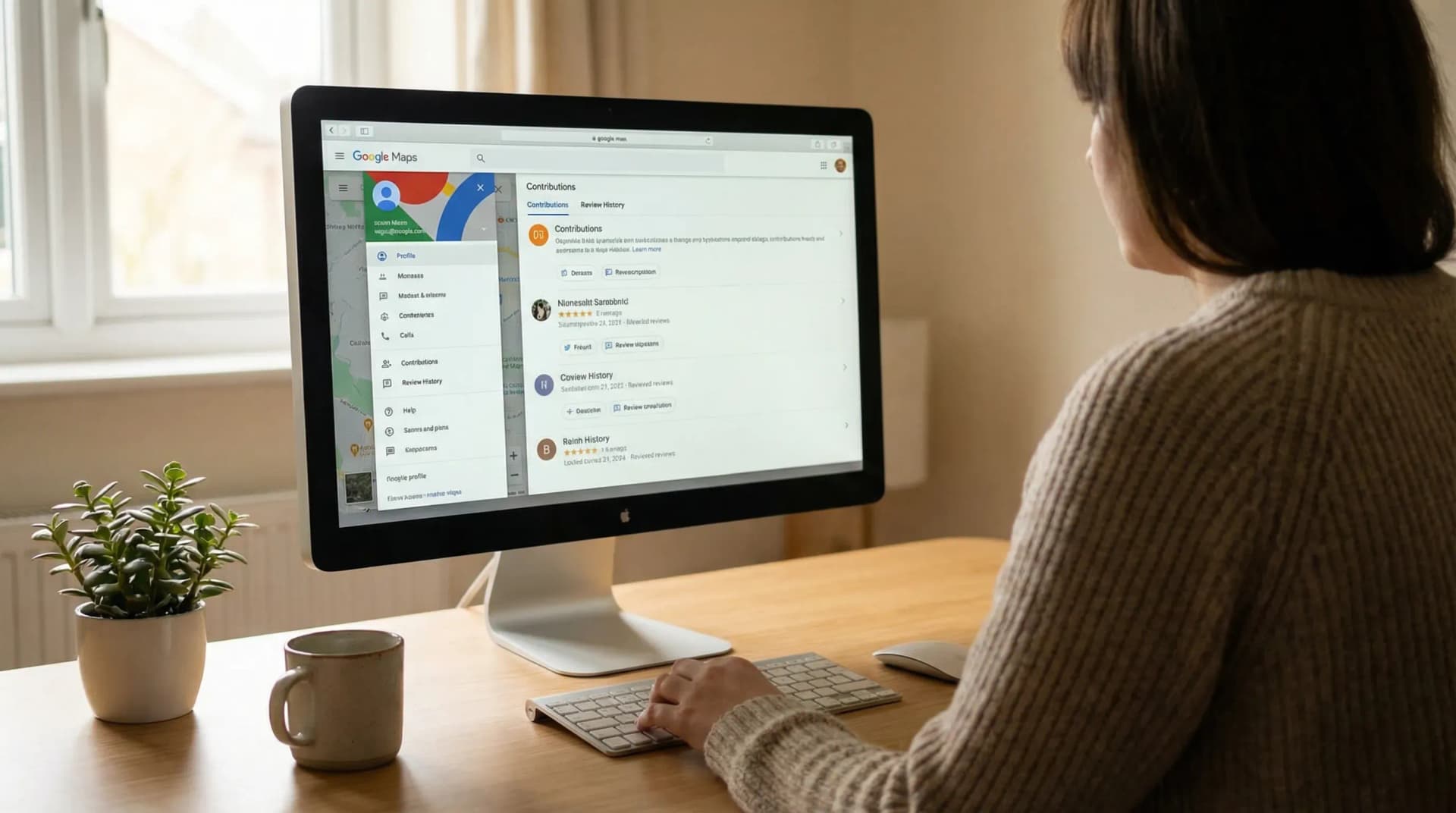
If you want a direct desktop method, this is the path most people should use. Open your browser and sign in to Google with the account that posted the reviews. Go to Google Maps. In the upper area of the screen, click your profile icon. Then choose "Your contributions" or a similar menu label. Inside that area, click the reviews tab. You should see your Google my reviews history there.
Once you are inside the reviews section, scroll through the list to see ratings, written comments, and businesses you reviewed. Click on any review to edit it, update the star rating, or remove it. If you posted a review years ago and forgot the exact business name, your contributions page is usually faster than trying to search business by business.
I think this is the part that catches people off guard. They expect to find a master dashboard in regular Google account settings. Instead, Google pushes review history into Maps activity. It makes sense once you know it. Before that, it feels like a scavenger hunt.
If you need help changing a review after you find it, this guide on how to edit a Google review you posted walks through the steps in more detail. If a review is gone and you think something broke, you may want to check why a Google review may not be showing for the common reasons.
Desktop steps at a glance
Step | What to do |
|---|---|
1 | Sign in to the Google account that wrote the review |
2 | Open Google Maps in your browser |
3 | Click your profile icon |
4 | Select your contributions |
5 | Open the reviews tab to see your review history |
How to see my Google reviews on mobile
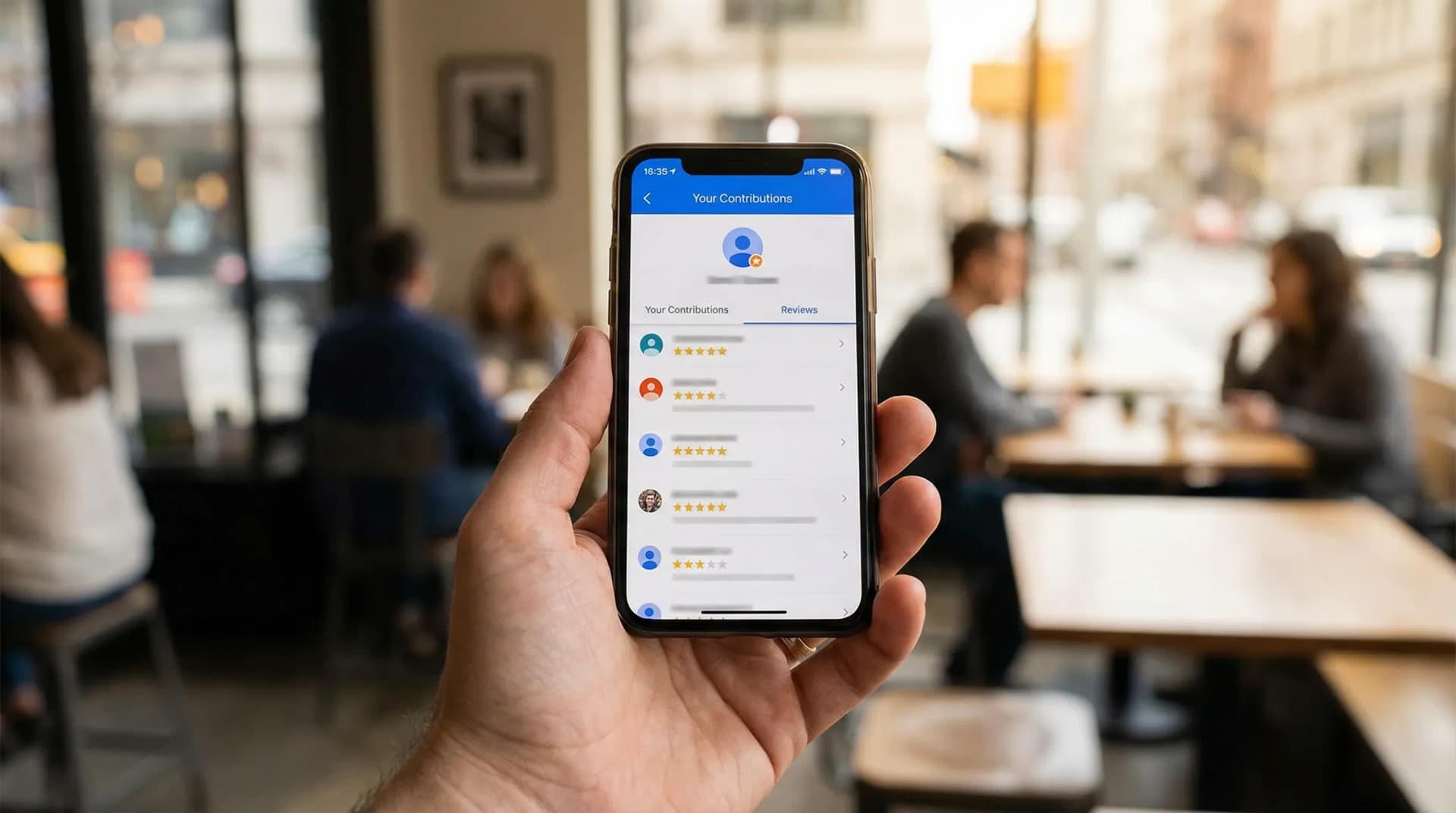
If you are trying to find my Google reviews mobile, the Google Maps app is the easiest route. Open the Maps app on your phone or tablet. Make sure you are signed into the correct account. Tap your profile picture in the upper corner. Then tap "Your profile" or "Your contributions," depending on the version of the app you see. Look for the reviews section. That is where your posted reviews live.
The mobile app is convenient, but I have mixed feelings about it. It is handy when you are on the go and want to fix a typo or update a rating after a recent visit. At the same time, app menus can feel cramped, and if Google changes the layout, the path can look different overnight. So yes, mobile works. Desktop still feels calmer if you want to scan through a longer review history.
Once you open your reviews on mobile, you can tap any entry to manage it. You can edit your text, change your star rating, or delete the review. This is useful if your opinion changed after a business resolved a problem, or if you posted in frustration and want to rewrite the comment in a fairer tone. I think that matters. Reviews should help people, not trap you in your worst mood from six months ago.
If you manage reviews for your own business and want a cleaner way to monitor incoming feedback, the RatingFlow features page shows how teams track reviews, route unhappy customers into private feedback, and keep public review requests organized.
Mobile steps at a glance
Step | What to do |
|---|---|
1 | Open the Google Maps app |
2 | Tap your profile picture |
3 | Open your profile or your contributions |
4 | Tap reviews to see my reviews on Google |
5 | Select a review to edit or delete it |
How to manage edit or delete reviews you wrote
Once you find your review history, management is straightforward. Open the review you want to change. Choose edit if you want to update the wording or star rating. Choose delete if you want to remove it. Google usually asks you to confirm before deletion. After that, the review disappears from your public profile activity.
There are plenty of valid reasons to edit a review. A business may have fixed the issue. You may have posted the review on the wrong listing. You may have written something too vague to be useful. I think editing is underrated. People talk about reviews like they are courtroom testimony carved in stone. They are not. They are snapshots of an experience, and snapshots can change.
If you are trying to remove a review instead of editing it, this article on how to delete or remove a Google review covers the process in detail. If you are writing reviews and want to make them more useful, aim for specifics. Mention the service, timing, communication, and outcome. Short reviews are fine, but random one-line reactions do not help much.
For business owners, review management works from the opposite side. You are not trying to find reviews by you. You are trying to collect and respond to reviews from customers. That is where systems matter. Manual follow-up gets messy fast. If you want a cleaner process, you can browse the RatingFlow use cases to see how local businesses and agencies handle review requests at scale.
Why your Google reviews may not appear

If you search how do I find my Google reviews and still come up empty, a missing review does not always mean you imagined posting it. The most common reason is account confusion. You may have written the review under a different Gmail address, an older work account, or a profile that your phone switched to without you noticing. Google loves silent account switching, and I do not love that back.
Another reason is moderation. Google may remove or hide reviews that trip spam filters or policy checks. This can happen even when the review feels harmless to you. Short repetitive reviews, duplicate wording across businesses, unusual link behavior, and certain account patterns can trigger review issues. That does not mean you did anything shady. It means Google systems can be blunt.
The business listing itself may have changed too. If a business merged listings, changed ownership, or had profile issues, your old review may not show where you expect. In some cases, the review still exists in your contributions history but does not appear on the public listing the same way. In other cases, it disappears entirely.
If you are troubleshooting a review that vanished from the business side, this article on how to respond to Google reviews can help with the owner perspective, and the broader small business reputation management guide explains why review monitoring needs a process instead of guesswork.
Tips to keep track of your Google review history
If you leave reviews often, your history can pile up fast. The easiest habit is to stay logged into the account you use for reviews and avoid posting from random secondary accounts. If you switch between personal and business profiles, pause for one second before posting. That tiny check saves a weird amount of future frustration.
You can also keep a short note of places where you left detailed reviews, mostly if you tend to update them later. This helps if you review contractors, doctors, restaurants, or service providers after a long project. Your opinion at week one may change by week six. That is normal. Review management is not only for businesses. Users need it too.
Another smart move is to revisit older reviews when a business fixes a problem. I think this is one of the fairest things a customer can do. If a company made things right, your review should reflect that. If they ignored you, keep the review honest. Either way, your review history works better when it tracks the full experience instead of a single emotional moment.
And if you own a business, this whole topic should make one thing clear. Reviews matter enough that people go back looking for them. That means your review funnel should not be sloppy. A system like RatingFlow helps businesses collect feedback, route unhappy customers into private channels, and increase public review volume without turning the process into chaos.
Finding your reviews should not feel this hard
If you want the shortest answer to how to find my Google reviews, here it is. Open Google Maps, sign into the account that posted the reviews, go to your contributions, and open the reviews tab. That works on desktop and mobile, even if the menu labels shift a little.
Google gives you access to your review history, but it does not always make that path feel clean. That part annoys me, and I doubt I am alone there. Still, once you know where your reviews live, you can see my Google reviews, edit outdated comments, delete reviews you no longer stand by, and keep your account activity under control.
If you are on the customer side, this helps you manage your public feedback. If you are on the business side, it is a reminder that reviews shape trust long after someone posts them. That is why businesses put serious attention on collection, response, and follow-up. Reviews stay visible. People go back and read them. People go back and edit them too.